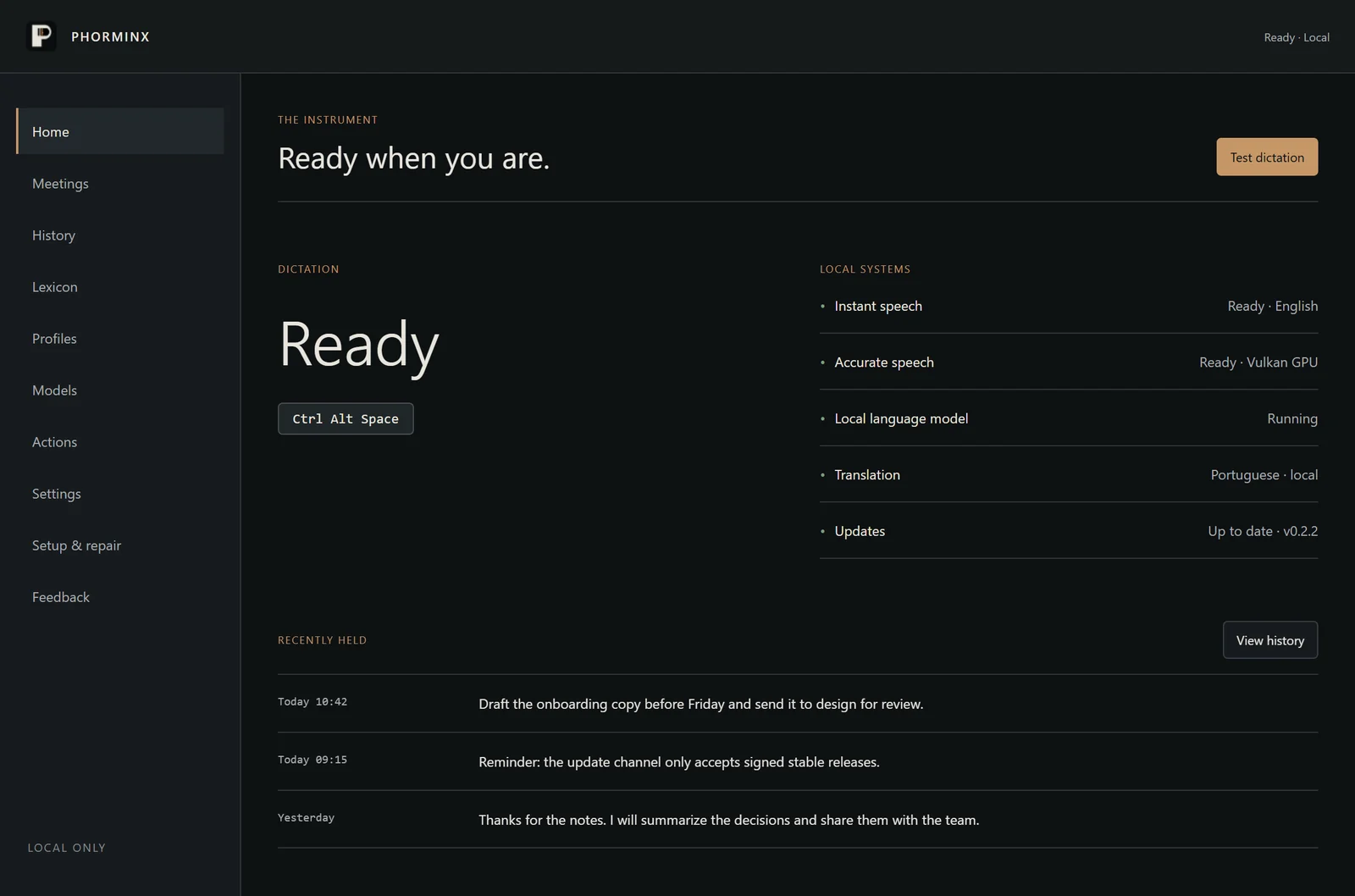
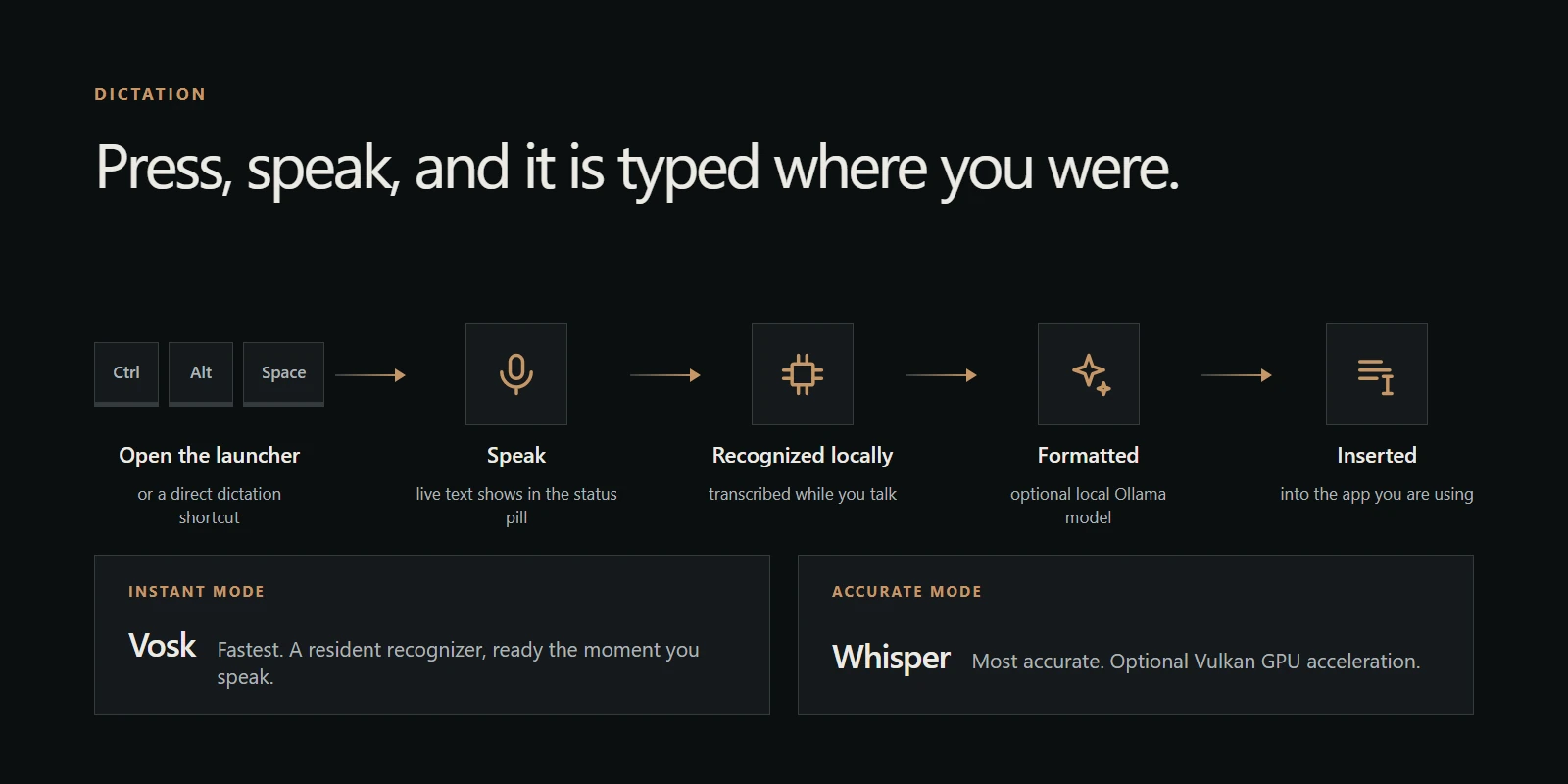
Press Ctrl+Alt+Space, speak, and Phorminx types into the app you were using. Recognition runs on your PC: Instant mode uses Vosk for speed, Accurate mode uses Whisper with optional Vulkan GPU acceleration. Live text shows what it heard while you talk.
REVIEW PANEL
Fix the last dictation without saying it again.
Open the last dictation from the status pill to edit it, reformat it with another strength or a one-off instruction, copy it, or replace the text you inserted. Replace only touches text that is still there and unchanged; otherwise the result goes to the clipboard.
FORMATTING
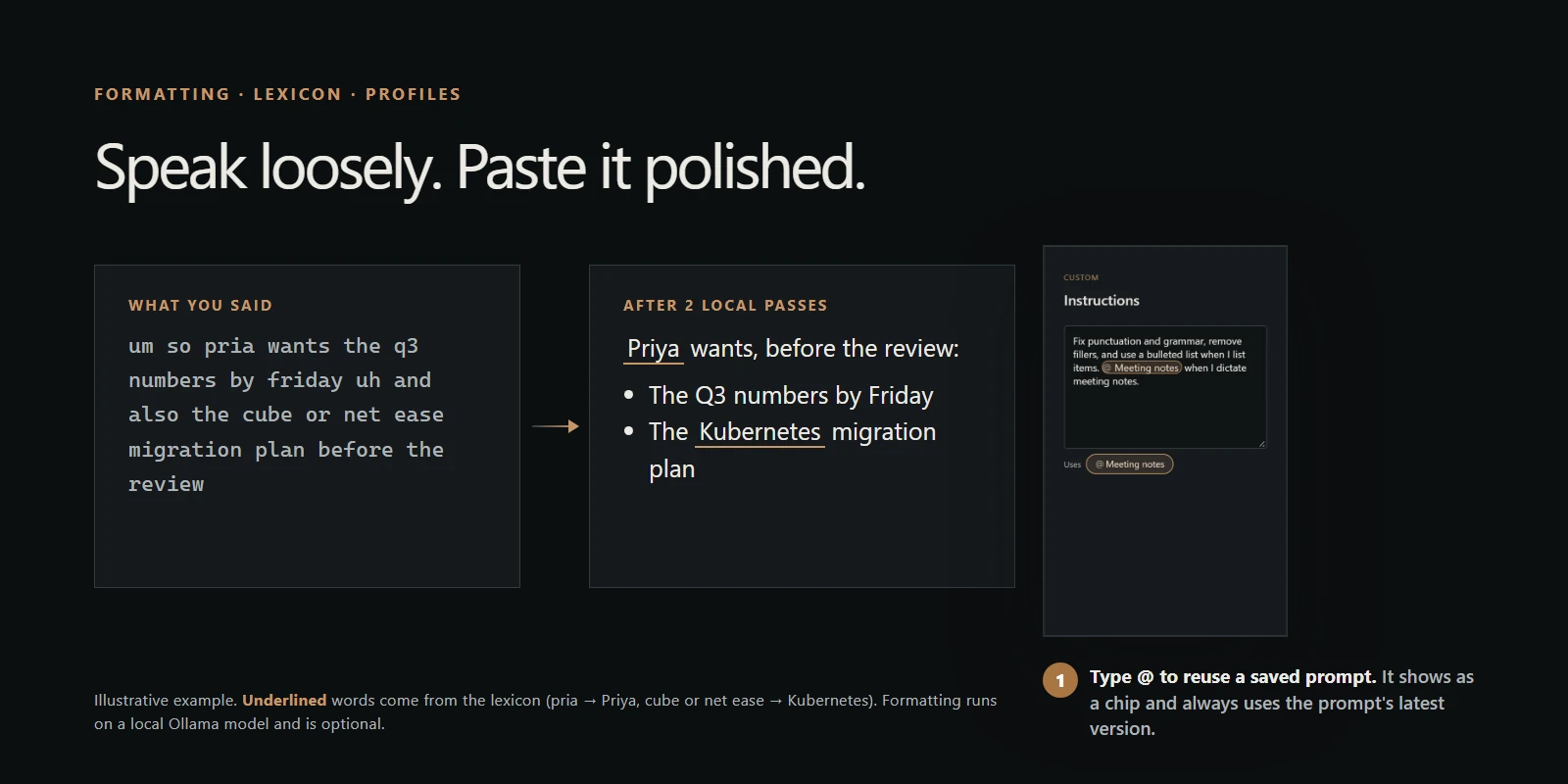
Speak loosely. Paste it polished.
A local Ollama model turns rambling speech into clean text, from light punctuation to structured lists, and can run more than once to refine the result. Teach names and jargon in the lexicon, and give each app its own style with profiles. Formatting is optional.
PROMPTS
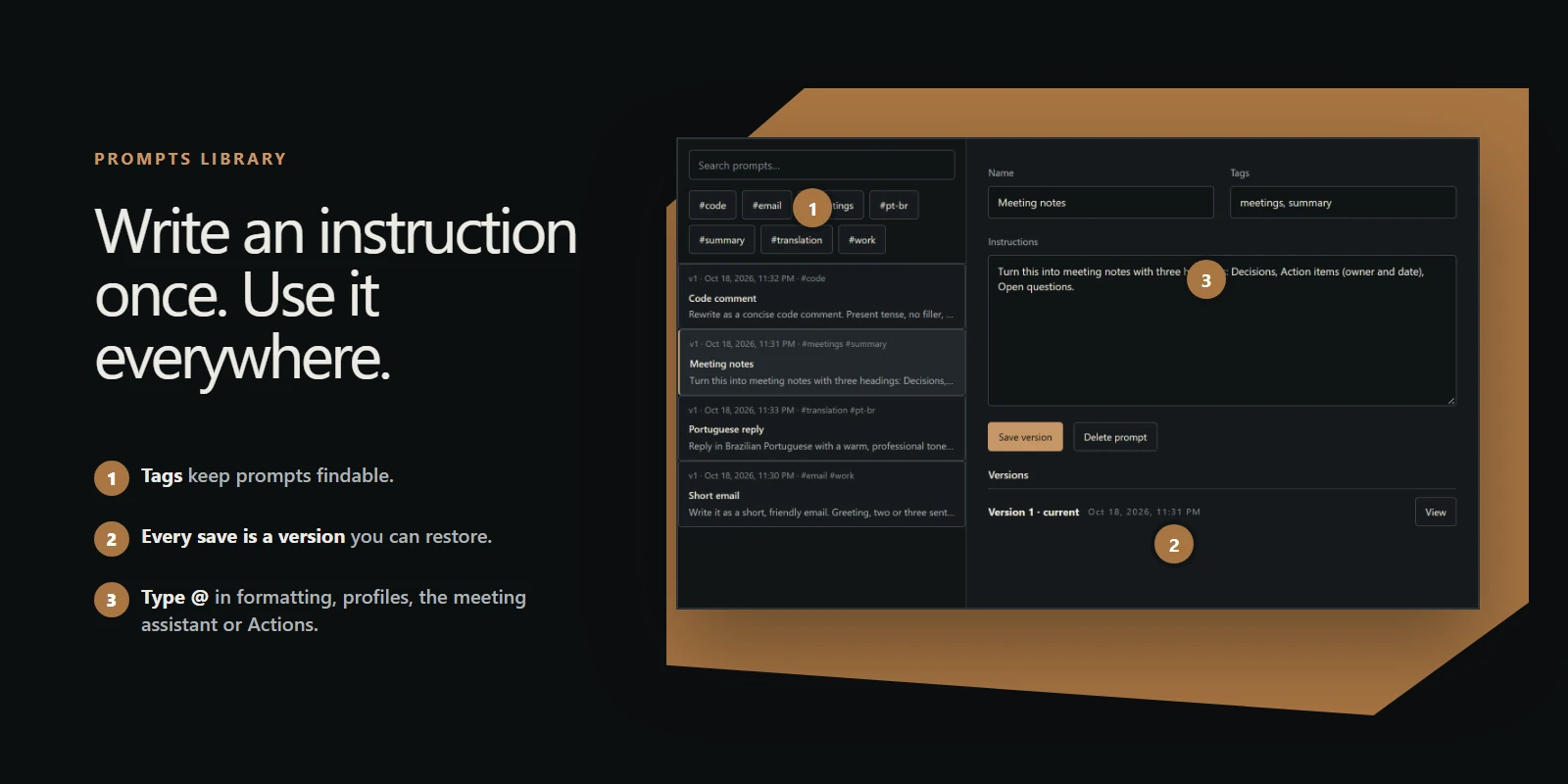
Write an instruction once. Use it everywhere.
Keep named, tagged instructions in one library. Type @ in any instruction field to use one: formatting, app profiles, the review panel, the meeting assistant or Actions. Every save is a version you can restore, and references always use the latest one.
MEETINGS
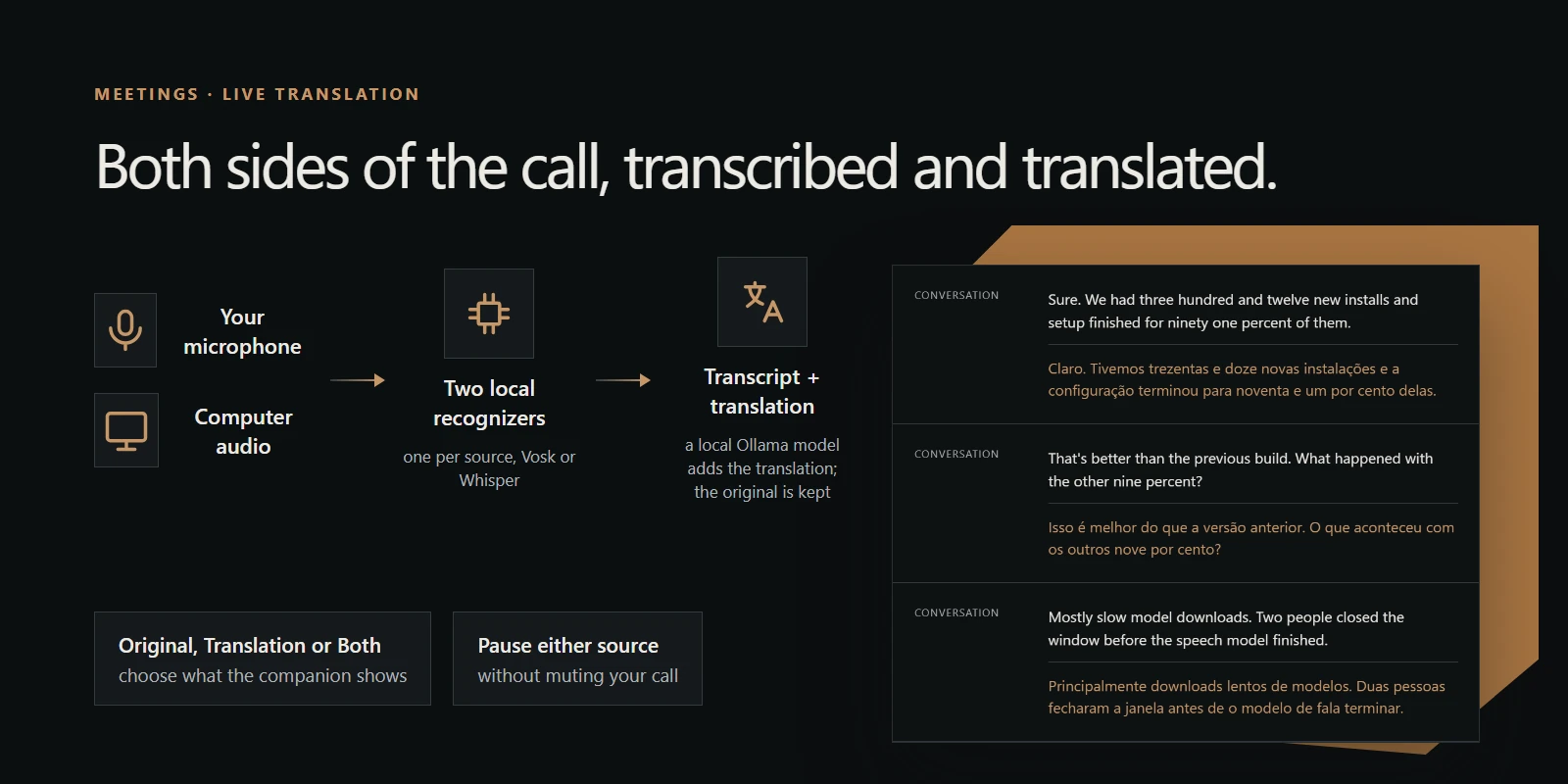
Both sides of the call, transcribed and translated.
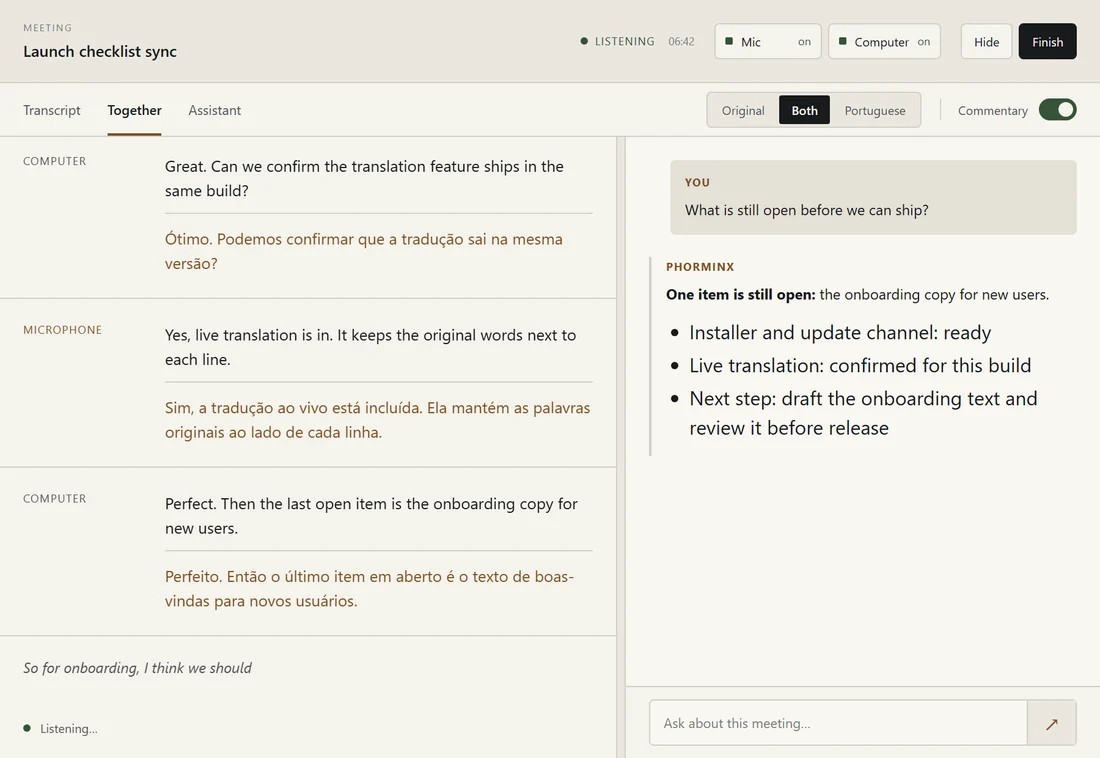
Phorminx captures your microphone and your computer's audio together and writes the meeting down as it happens. Turn on translation and a local model adds each line in your language right under the original, which is always kept. Plan upcoming meetings with prep material and important items the assistant keeps in mind during the call.
ASSISTANT
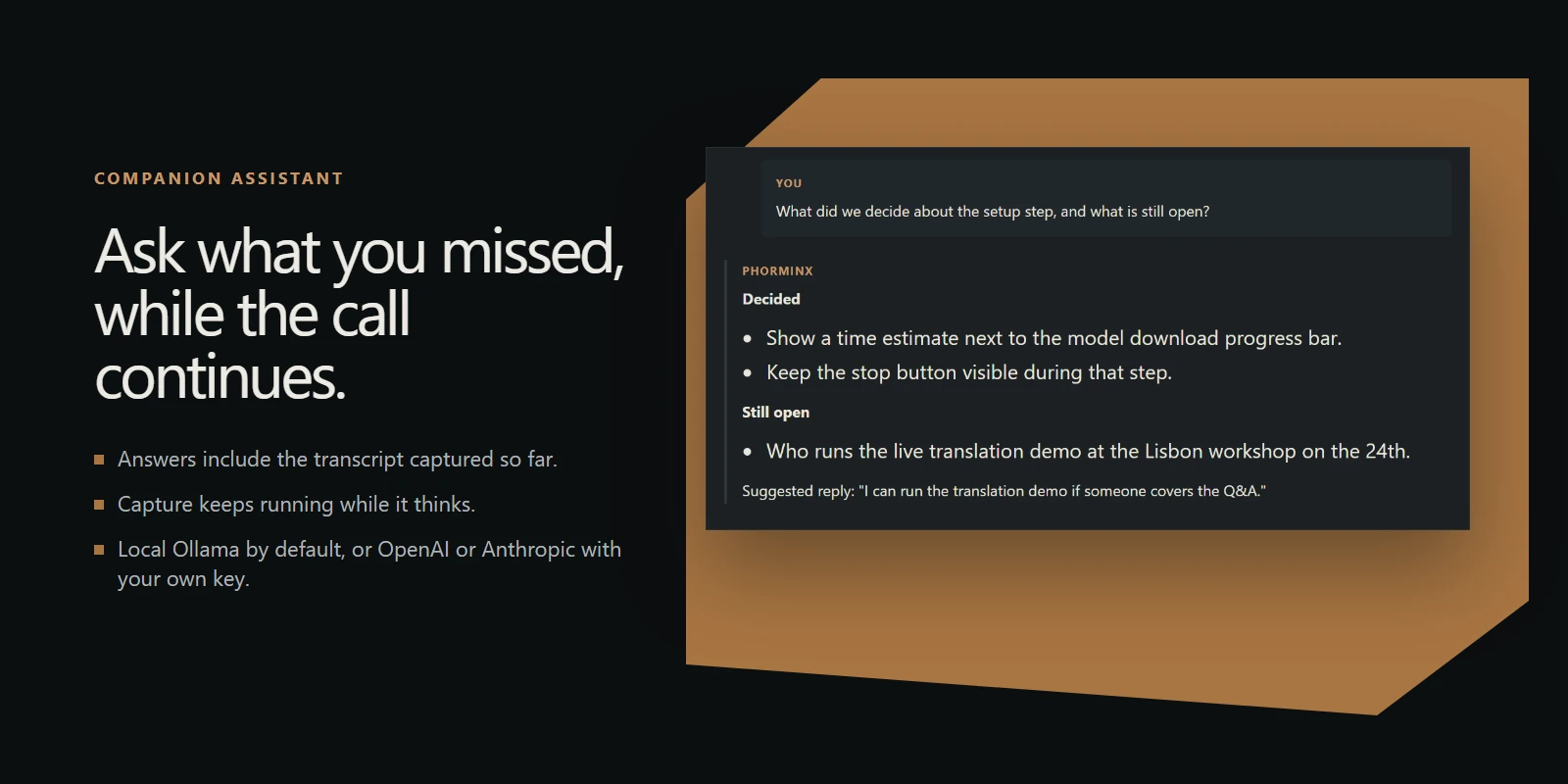
Ask what you missed, while the call continues.
Ask a question and get an answer drawn from the conversation so far, without stopping capture. The compact companion stays beside your call. Use a local Ollama model, or OpenAI or Anthropic with your own key.
INVESTIGATIONS
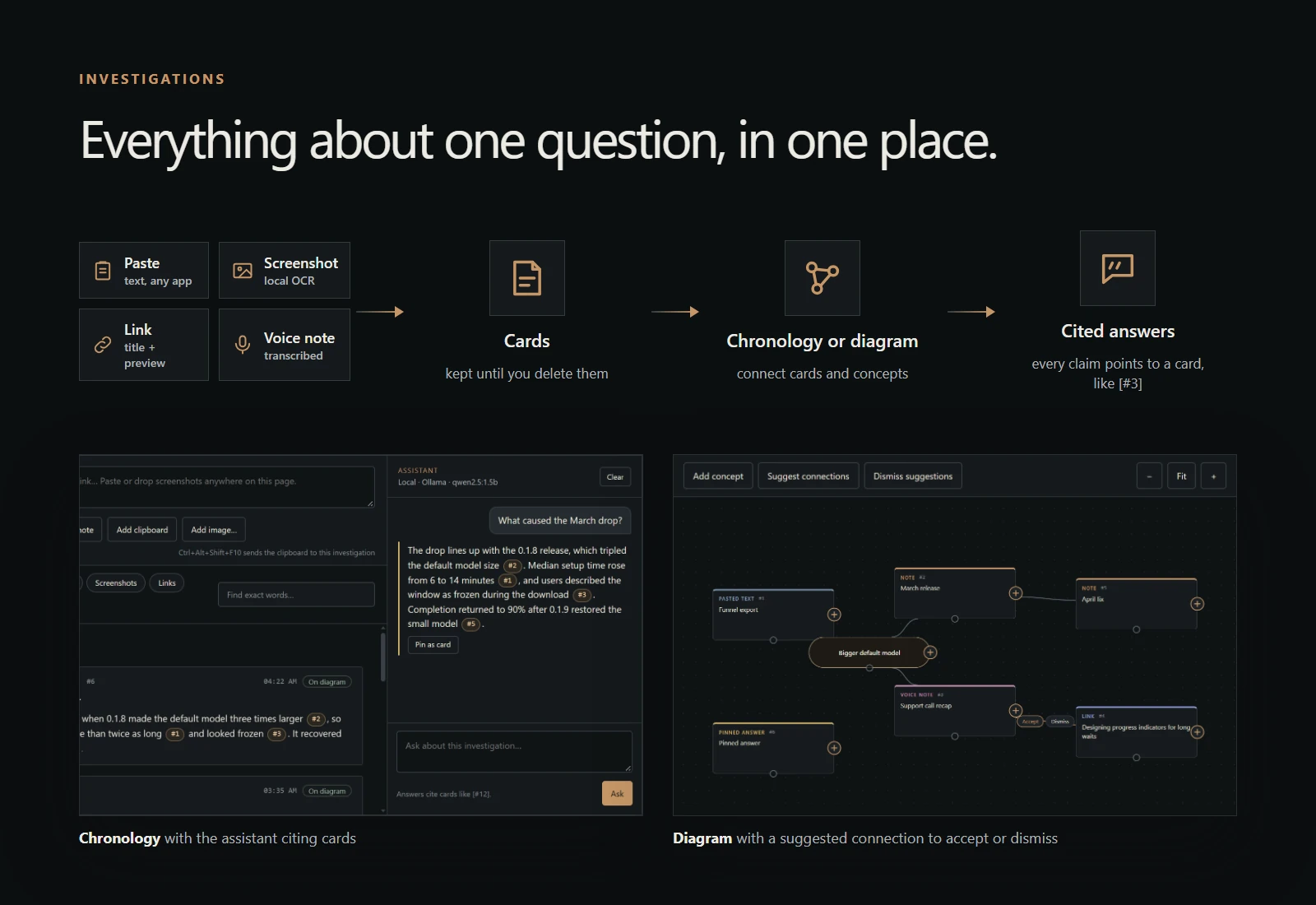
Everything about one question, in one place.
Collect pasted text, screenshots, links and voice notes as cards. Screenshot text is read by local OCR. Press play on one investigation and add to it from anywhere through the launcher: a voice note, the clipboard, a note, a link or a screenshot. See the cards as a chronology or a diagram, and ask the assistant, which answers with citations to your cards.
MESSAGES
Message people directly. No server in between.
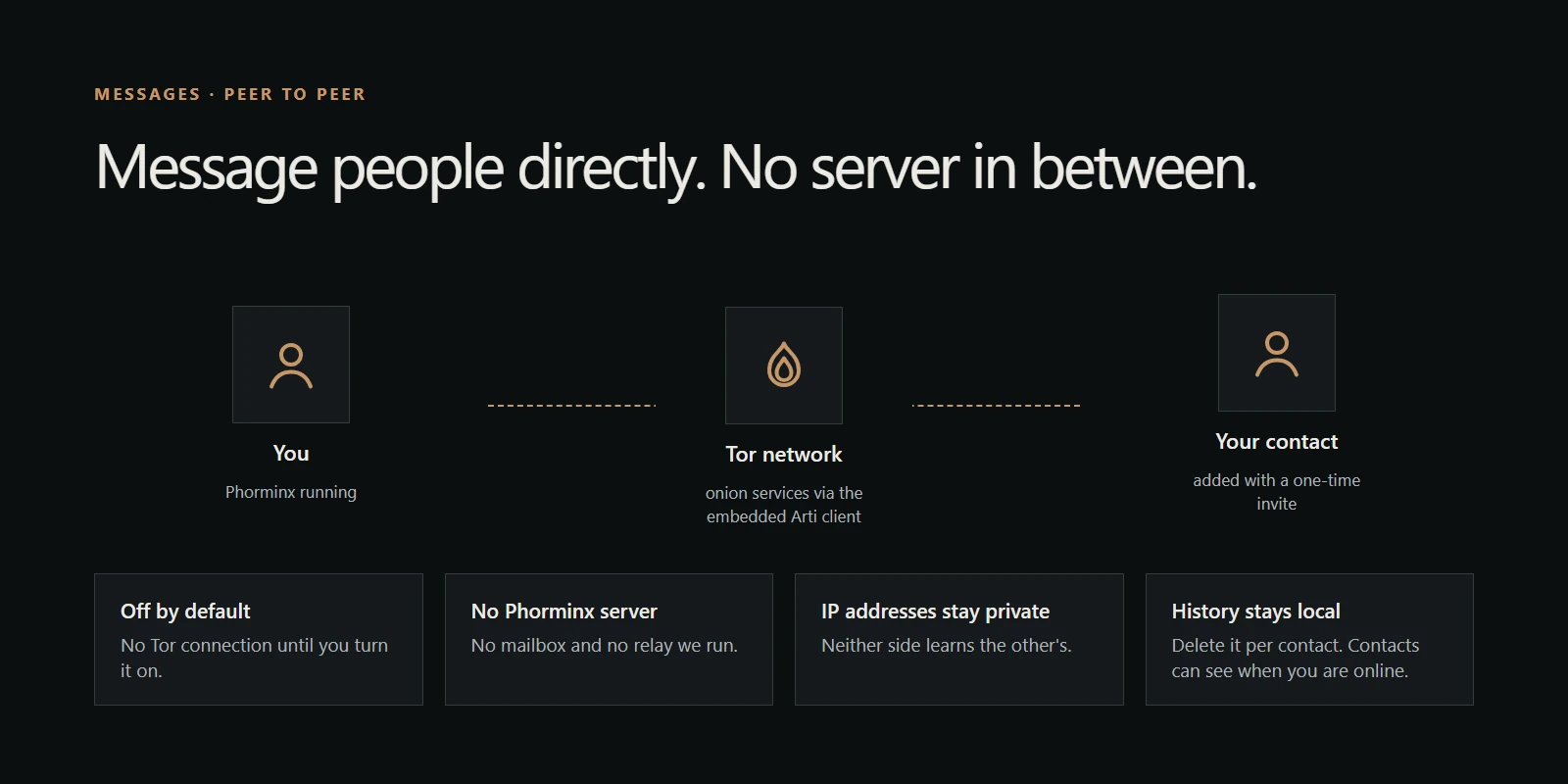
Add people with a one-time invite and send text straight to them over the Tor network. There is no Phorminx server, and neither side learns the other's IP address. It is off until you turn it on, and history stays on your PC.
BENCHMARKS
Know which model to use before you download it.
Phorminx publishes quick benchmarks of its recognition engines and local models for each feature, with a plain recommendation for each. From the Benchmarks page, use a benchmarked model for a feature or download it in one click. Every place that needs a model opens the same picker, showing what is installed and what fits.
AND ALSO
Search, actions, guided setup and safe updates.
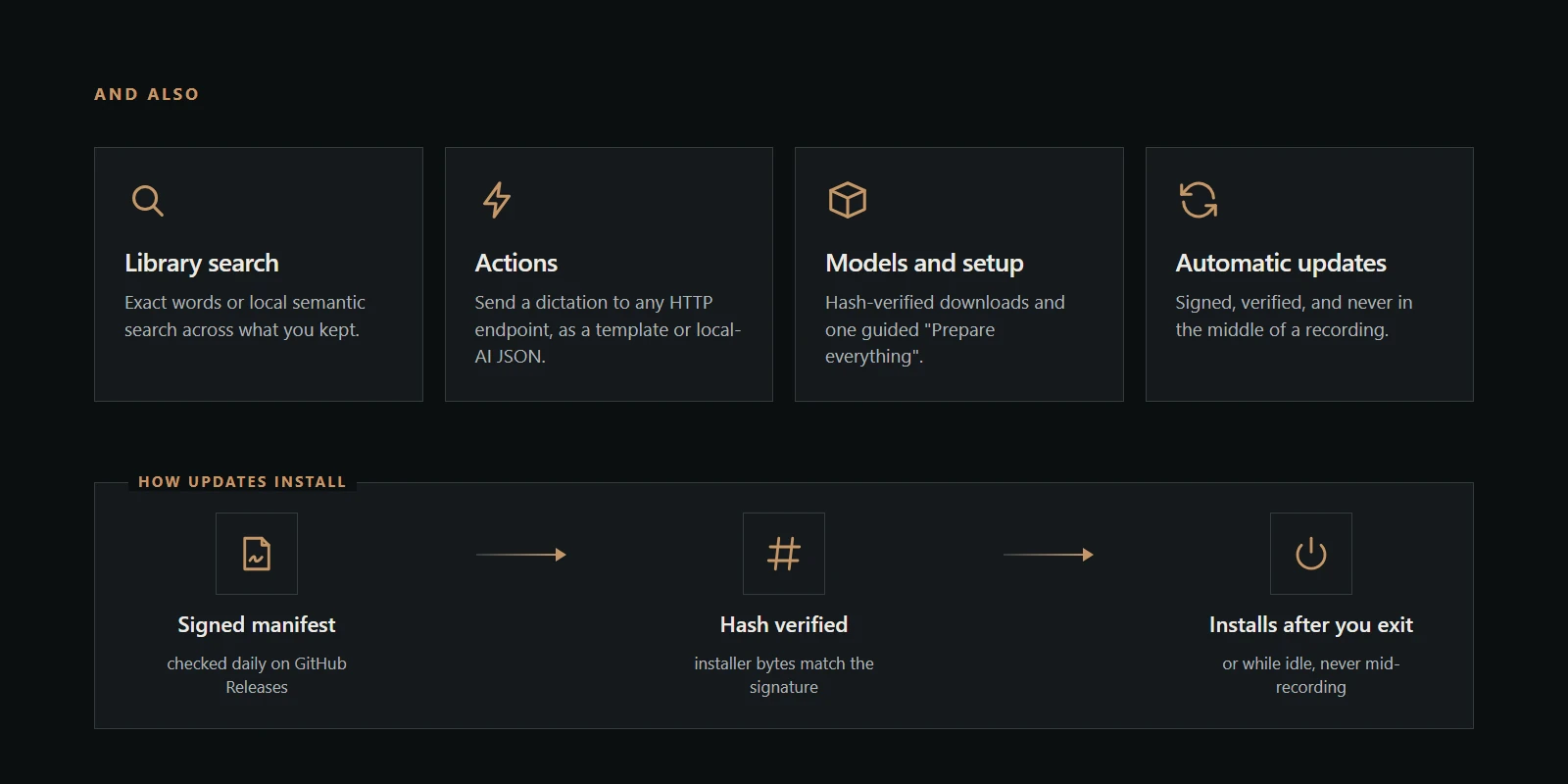
Search everything you kept by exact words or meaning, send a dictation to any HTTP endpoint with Actions, set up verified models in one guided run, keep Windows awake with one switch, reinstall Phorminx in one click when something breaks, and get signed updates that never interrupt a recording.
Your vocabulary
Teach names, products, and jargon once. Profiles adapt formatting to each app you dictate into.
Searchable history
Find any dictation or meeting by its words, then reopen the session it came from.
Always current
Signed updates arrive automatically and never interrupt a dictation or a meeting.
PRIVACY
It runs on your computer.
Speech recognition, translation, the assistant, and your history work with local models. Your audio and text stay on your PC unless you send them yourself: to a remote assistant or action you connect, or as feedback.